All resources
Plugins

mcVkits

Scaling Odds, vKit Shards

A kit for one day? Give them a kit to chase forever.

A kit for one day? Give them a kit to chase forever.

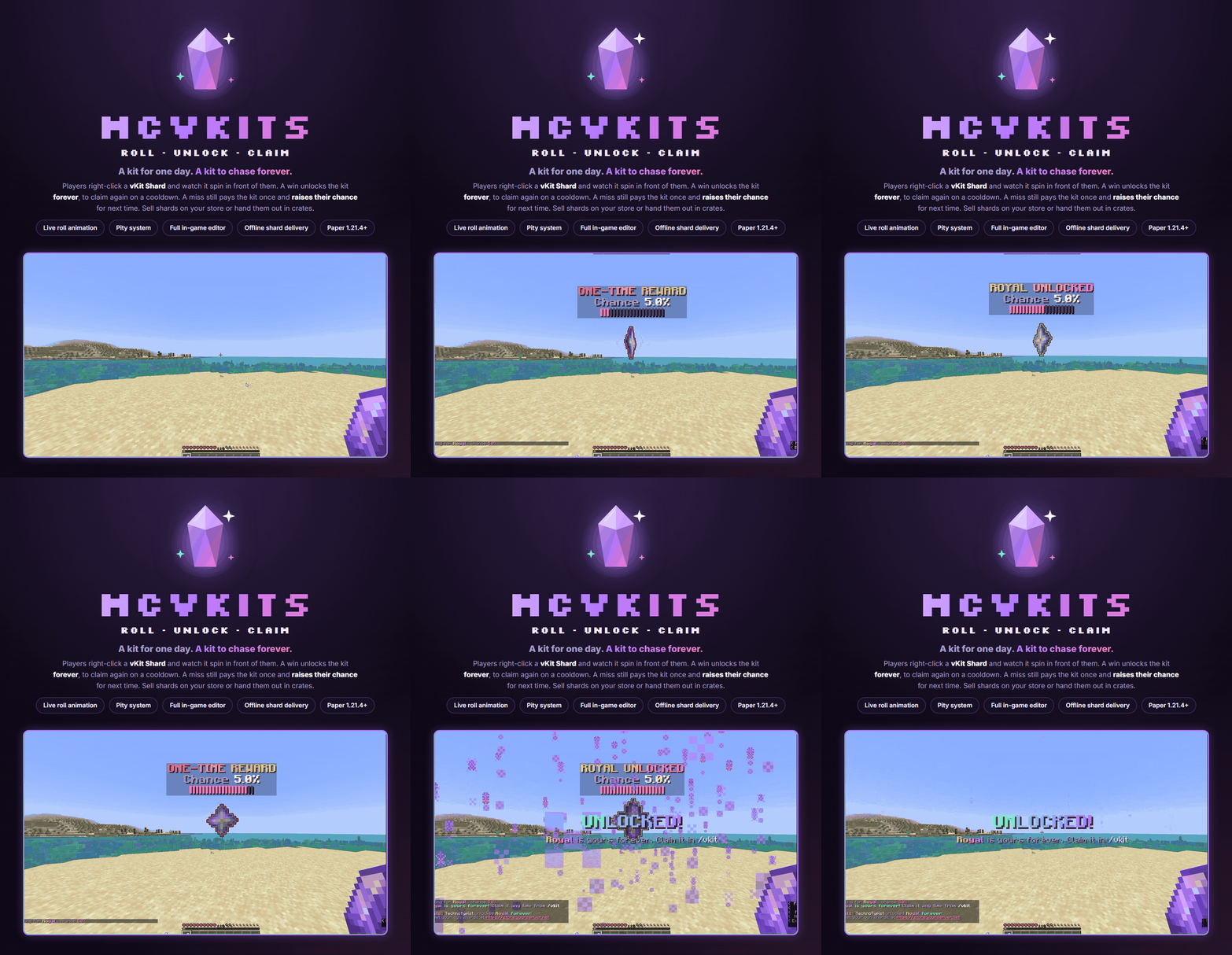
Players right-click a vKit Shard and watch it spin in front of them. A win unlocks the kit forever, so they can claim it again on a cooldown. A miss still gives the kit once and raises their chance for next time.
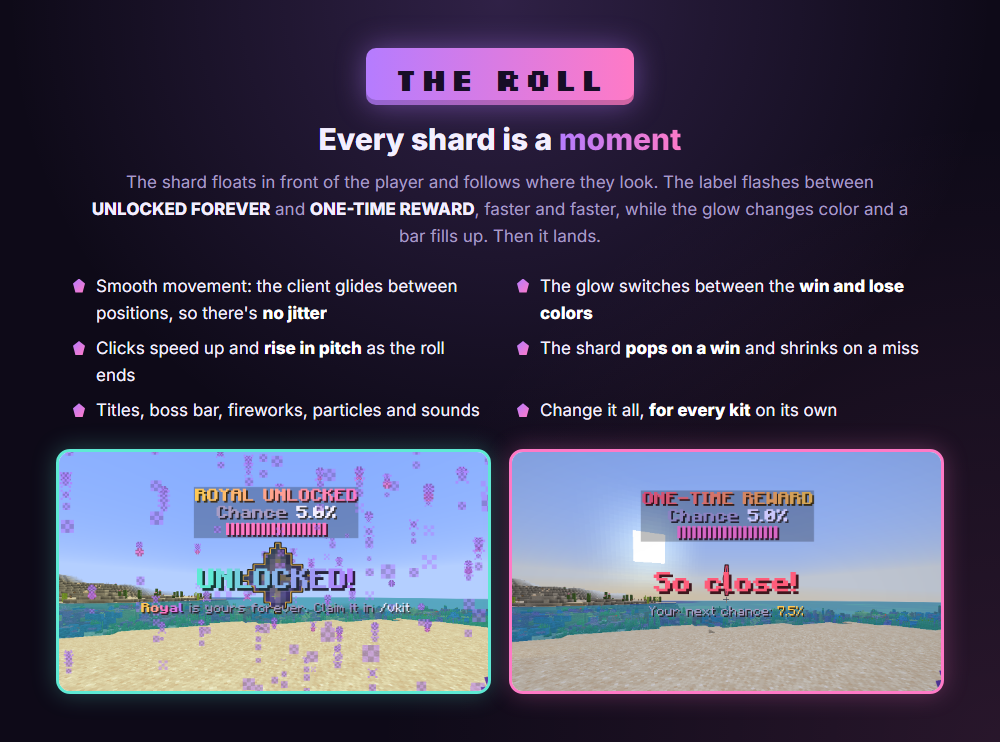
Every shard is a moment

The shard floats in front of the player and follows where they look. The label flashes between UNLOCKED FOREVER and ONE-TIME REWARD, faster and faster, while the glow changes color and a bar fills up. On a win the shard grows, with a title and fireworks. On a miss it shrinks and shows the player's new chance. Every kit can have its own item, colors, timing and effects.
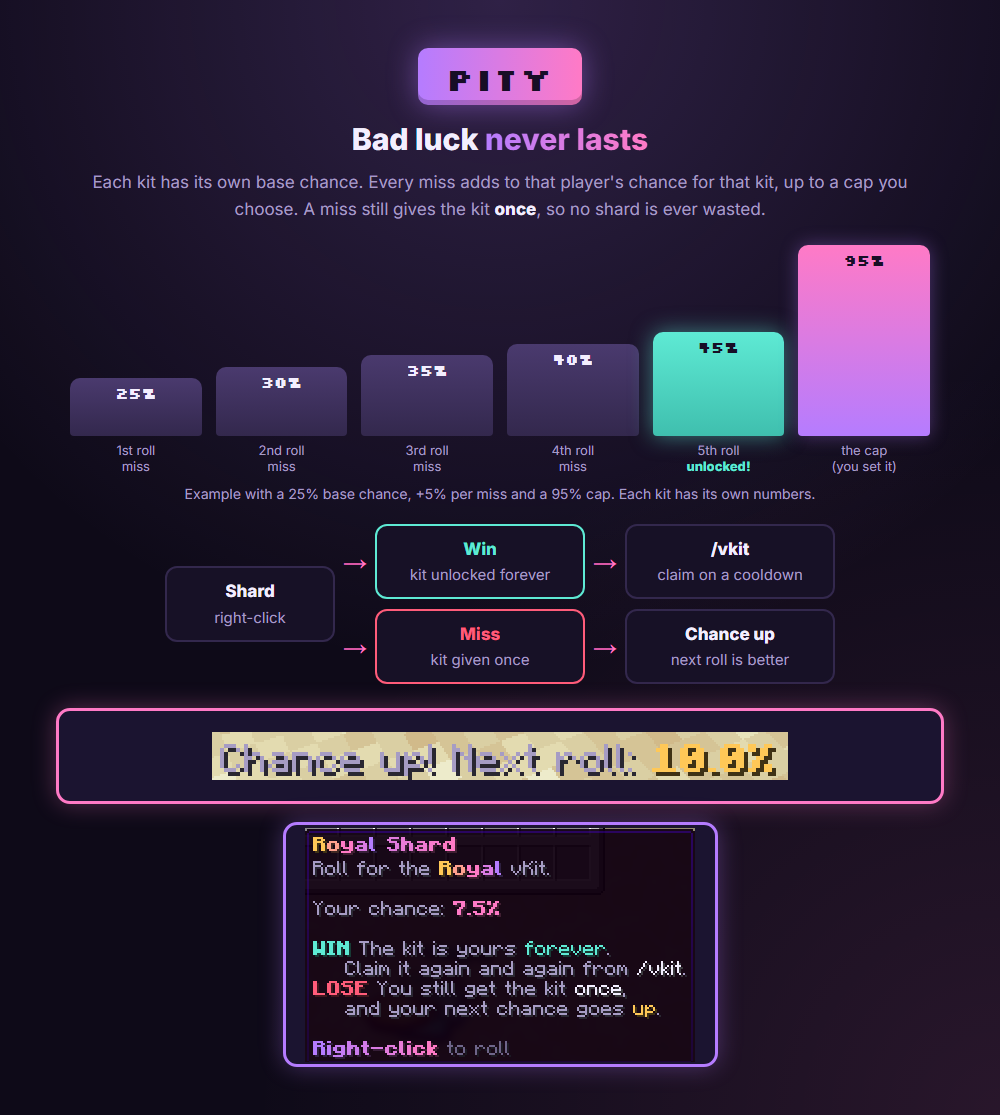
Bad luck never lasts

Each kit has its own base chance. Every miss adds to that player's chance for that kit, up to a cap you choose. The shard's tooltip always shows the holder's own chance, and it updates by itself after every roll.
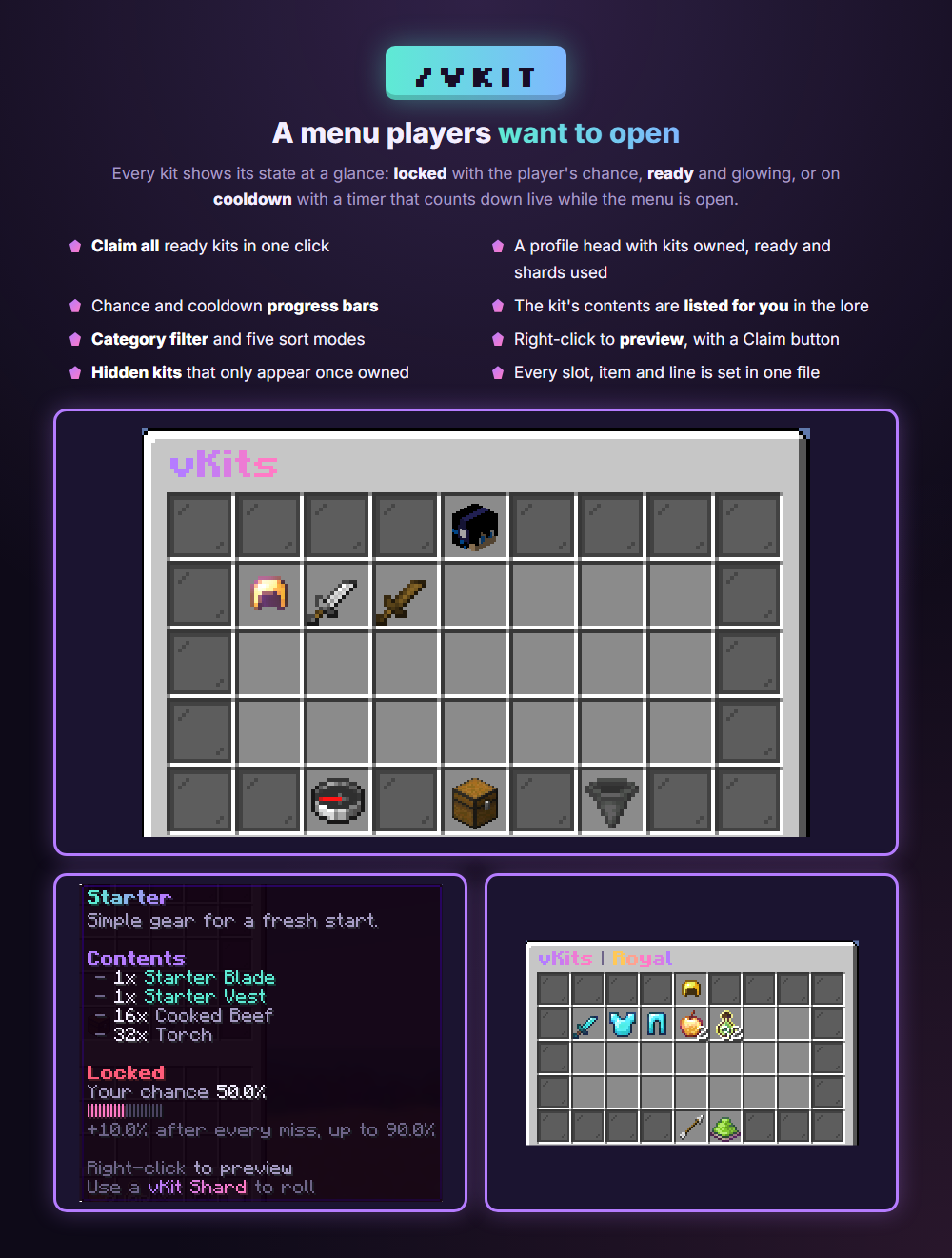
A menu players want to open

/vkit shows every kit as locked, ready or on cooldown. Timers count down live while the menu is open. Players can claim all ready kits in one click, filter by category, sort five ways and preview any kit. The lore lists the kit's contents for you, with bars for the chance and the cooldown.
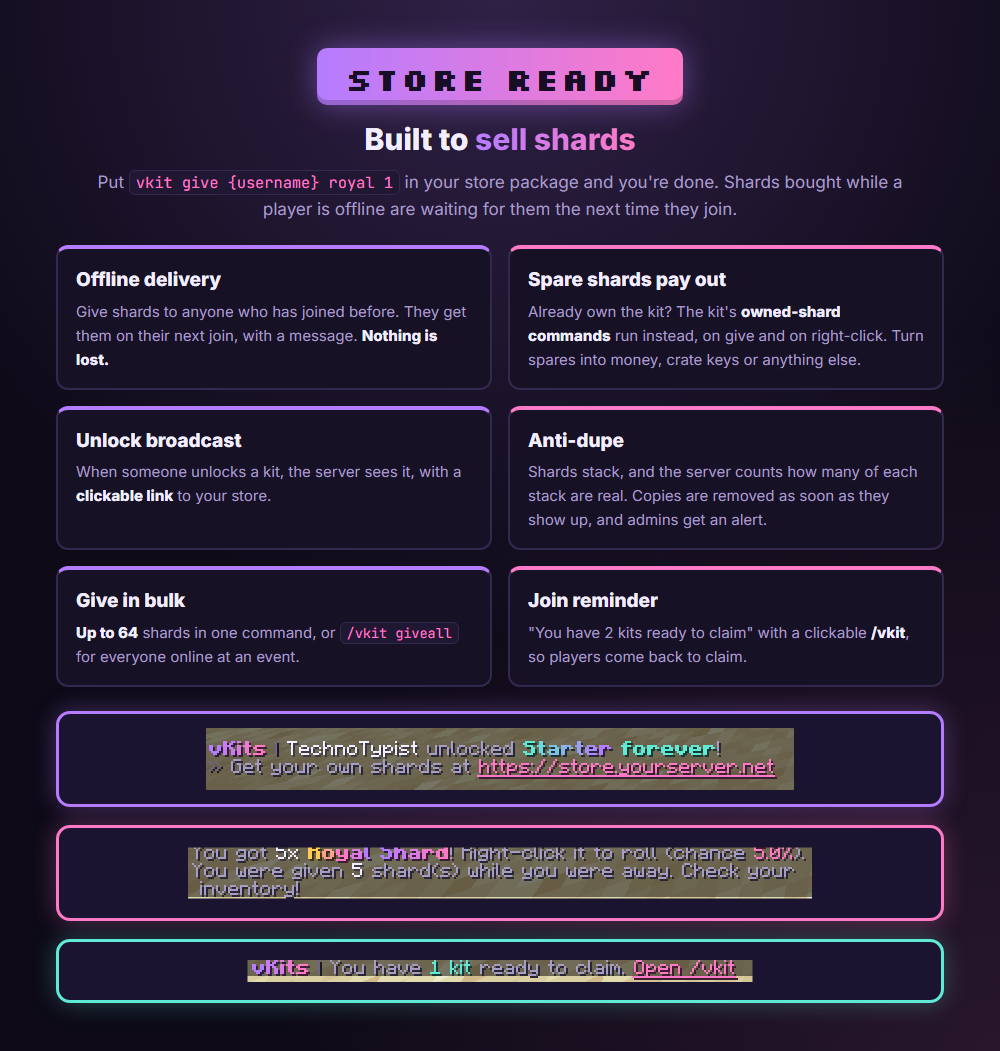
Built to sell shards

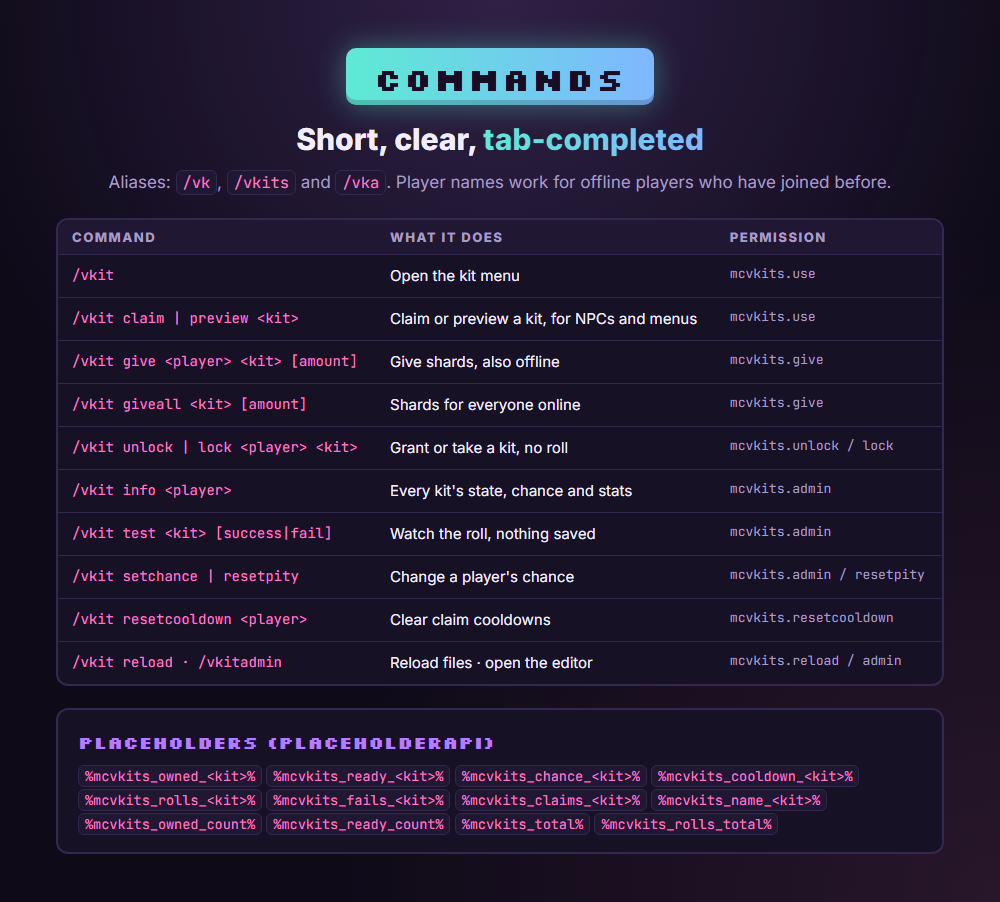
Put /vkit give in your store package. Shards bought while a player is offline wait for their next join. A player who already owns the kit gets the kit's owned-shard commands instead, so spare shards turn into money, crate keys or anything else. Unlocks are announced with a clickable link to your store, and copied shards are removed on sight.
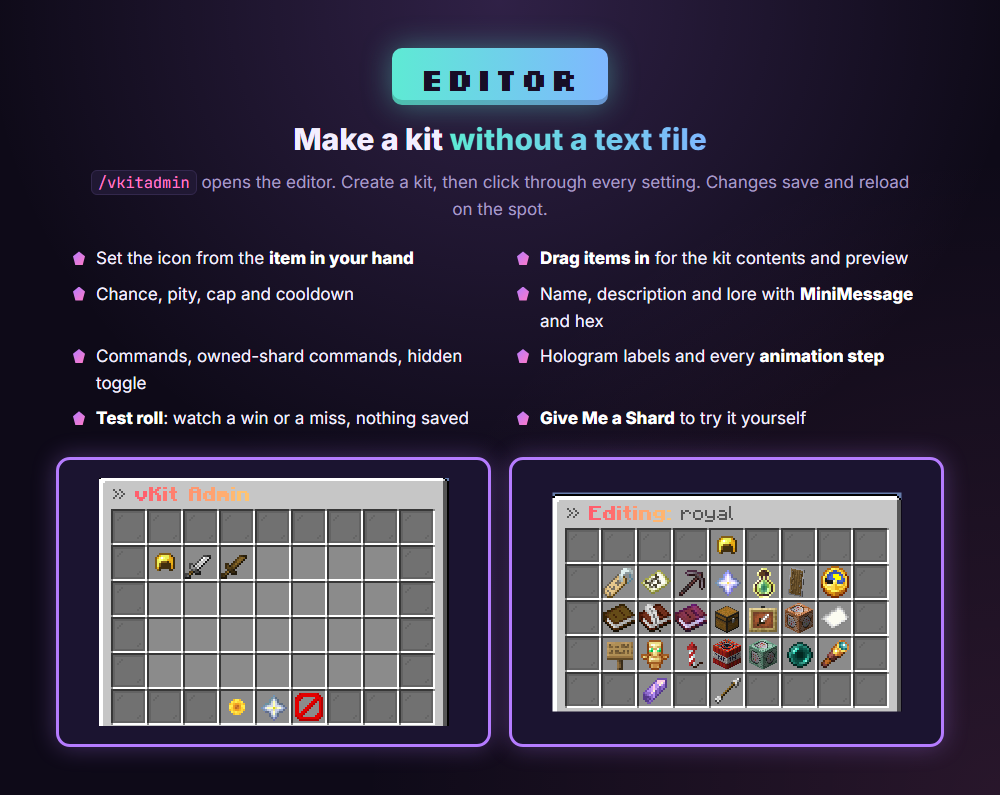
Make a kit without a text file

/vkitadmin opens the editor. Set the icon from the item in your hand, drag in the kit's items, and set the chance, pity, cooldown, lore, commands and animation from menus. Use Test Roll to watch a win or a miss without saving anything.
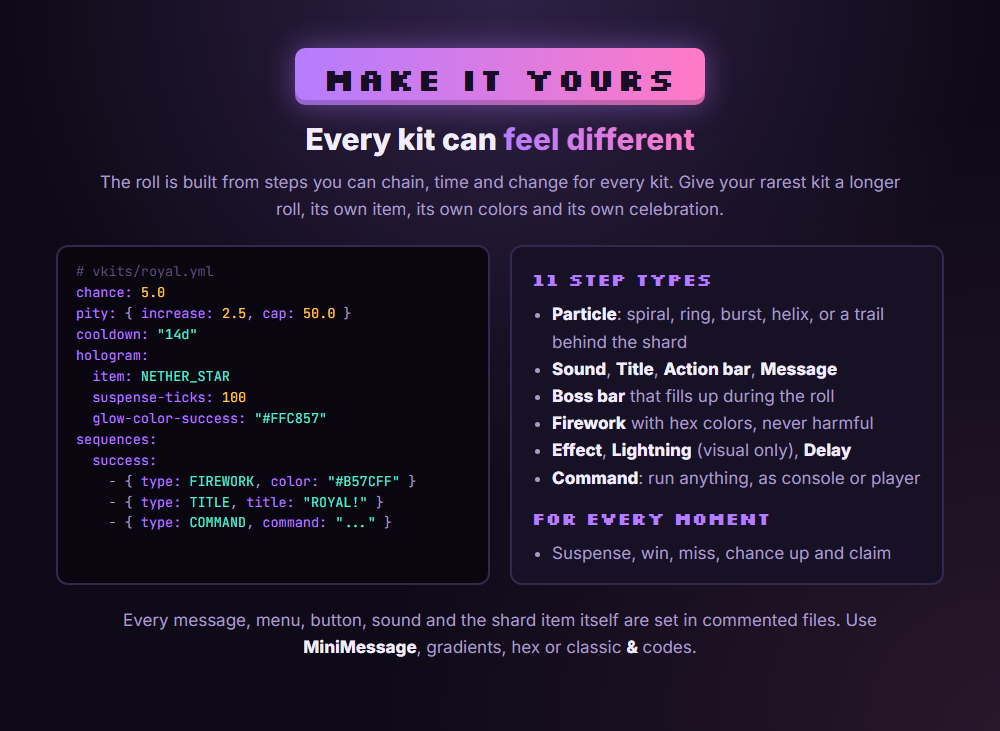
Every kit can feel different

Chain 11 kinds of steps for the suspense, the win, the miss, the "chance up" moment and the claim: particles, sounds, titles, boss bars, fireworks, potion effects, lightning, messages and commands.
Changelog

v2.0.1

Added: update checks with BuiltByBit. The console and players with mcvkits.admin are told when a new version is out.
Added: optional auto-download (updates.auto-download, off by default). The new jar goes into plugins/update and installs on the next restart, and the current jar is backed up to plugins/mcVkits/backup.
Safe downloads: every download is checked before it’s used. It must be a valid mcVkits jar of the right version.

2.0.0

v2.0.0

The menus, the roll animation, the look and the storage were all redone. Your kits, player progress and settings carry over. On the first start, the old menu and animation files move to plugins/mcVkits/backups/1.x/ and the new ones take their place.

New look

New violet and pink theme across the menus, messages, shard item and roll animation.
Redesigned /vkit menu:
- A profile head with kits owned, kits ready and shards used.
- Live timers: icons refresh every second while the menu is open, so cooldowns count down.
- Chance and cooldown progress bars in the lore (%chance_bar%, %cooldown_bar%).
- Contents listed automatically: %contents% lists what a kit gives, so you don't have to type it into the lore.
- Kit descriptions: a new description: list per kit, shown where the menu has %description%.
- Kits that are ready to claim glow.
- New menu buttons:
- Claim all: claims every ready kit in one click.
- Category filter: appears when kits use more than one category.
- New sort modes: Ready first and Best chance.
- An "empty" icon when there are no kits to show.

Redesigned preview menu: a status icon with the player's chance, cooldown and stats, and a Claim button when the ki

v1.0.3

Added: PlaceholderAPI placeholder %mcvkits_owned_<kit>%, which returns true or false for whether the player owns the kit. Unknown kit ids return false. PlaceholderAPI stays optional.
Added: owned-shard-commands: option in each vKit config, a list of console commands with %player%. When /vkit give targets a player who already owns the kit, these commands run instead of giving a shard, and the sender sees the "already owns" message.
Changed: if owned-shard-commands is empty or missing, /vkit give now gives a shard to players who already own the kit. It used to refuse with the "already owns" message. The spare shard is not used up when right-clicked.
Added: softdepend: [PlaceholderAPI] in plugin.yml, so PlaceholderAPI always loads first.
Existing kit files keep working without changes.

v1.0.2

Fixed: the default starter and gladiator kits were re-created on every startup, every /vkit reload, and after any kit was created, saved or deleted, so deleted defaults always came back.
Changed: the default kits are now only created on first install. Deleting them from the admin panel or the folder is now permanent.
Added: a plugins/mcVkits/.defaults-installed marker file. To get the bundled kits back, delete this file and the vkits/ folder.
Upgrading from v1.0.2: your current kits stay as they are, and the defaults aren’t added back.

v1.0.1

Fixed: startup warning about starter.yml / gladiator.yml already existing
Fixed: ugly console startup/shutdown messages
Added: /vkit unlock <player> <kit> — unlocks the kit itself to a player, no shard needed
Added: /vkit lock <player> <kit> — removes the kit from a player and resets their progress
Full history on BuiltByBit

More from TechnoTech